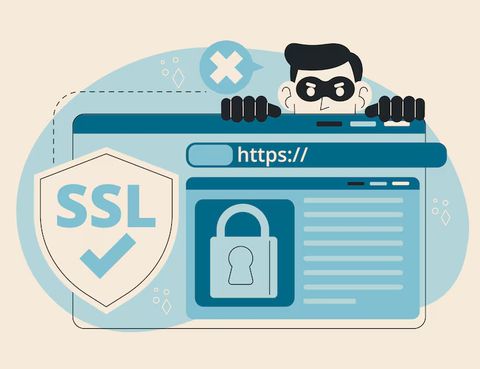
Secure Browser Tools Overview: Staying Safe While Browsing the Web
Secure browser tools are technologies and built-in features designed to protect users while accessing websites and online platforms. As web browsing became central to communication, learning, banking, and information access, risks such as malicious websites, tracking scripts, and data interception also increased. Secure browser tools exist to reduce these risks by improving privacy, blocking harmful content, and safeguarding personal information during everyday browsing.
Modern browsers are no longer simple page viewers. They now act as protective layers between users and the internet, helping filter unsafe content and limit exposure to threats. These tools support safer digital habits for individuals, families, students, and organizations that rely on the web for routine activities.
Importance: Why Secure Browsing Matters Today
Web-based activity has expanded rapidly, including online payments, cloud applications, and remote work platforms. This growth has also increased exposure to phishing attempts, malware, and data misuse. Secure browser tools help address these challenges by adding protective controls directly into the browsing experience.
Key reasons secure browsing tools matter include:
-
Protection of personal and financial data during everyday browsing
-
Reduced exposure to deceptive websites and harmful downloads
-
Improved control over tracking technologies and online profiling
-
Safer access for students, remote workers, and shared-device users
Secure browsers benefit a wide range of users, from individuals accessing social platforms to organizations handling sensitive information. By reducing risk at the browser level, these tools help prevent problems before they reach the device or network.
Recent Updates and Trends in Secure Browsing
Over the past year, browser developers and cybersecurity researchers have introduced notable improvements focused on privacy and transparency.
Enhanced Tracking Controls (2025)
Major browsers strengthened default tracking prevention in early 2025. These updates limited third-party cookies and improved visibility into how websites collect data. Privacy dashboards became more detailed, helping users understand what is being blocked.
AI-Based Threat Detection
In mid-2025, some browsers began integrating machine-learning models to detect phishing pages in real time. Instead of relying only on known threat lists, these systems analyze page behavior to identify suspicious activity.
Secure DNS and Encrypted Connections
Encrypted DNS lookups gained wider adoption during 2025, reducing the risk of interception while browsing. More browsers now enable secure DNS settings automatically, especially on public networks.
User Transparency Features
Browsers increasingly show clearer warnings when websites request permissions such as location access, camera usage, or file downloads. This trend supports informed decision-making and safer browsing habits.
Laws and Policies Affecting Secure Browser Usage
Browser security development is influenced by national and international data protection frameworks. These rules encourage stronger privacy practices and responsible handling of user information.
Data Protection Regulations
Many browsers align with principles from data protection laws that emphasize transparency, consent, and data minimization. These principles guide how cookies, trackers, and permissions are managed.
Cybersecurity Guidelines
Government-issued cybersecurity advisories in several countries encourage the use of updated browsers with built-in security controls. Public awareness programs highlight safe browsing as a foundational digital safety practice.
Child and Student Safety Policies
Educational guidelines increasingly recommend browsers with content filtering and restricted permissions for student use. These policies influence how browsers design parental controls and safe browsing modes.
Tools and Resources for Secure Browsing
A variety of browser-based tools and trusted platforms support safer web access. Many are integrated directly into modern browsers, while others function as optional extensions or reference resources.
Widely Used Secure Browsers
-
Google Chrome with advanced safe browsing warnings
-
Mozilla Firefox emphasizing user privacy controls
-
Brave with automatic tracker blocking
Built-In Browser Features
-
Private or isolated browsing modes
-
HTTPS enforcement and secure connection indicators
-
Download and file scanning alerts
-
Permission-based access for scripts and media
Informational and Reference Platforms
-
National cybersecurity awareness portals
-
Browser security blogs and release notes
-
Digital safety guides from academic institutions
Comparison Table: Common Secure Browser Features
| Security Feature | Purpose | User Benefit |
|---|---|---|
| Phishing Protection | Detects deceptive websites | Reduces risk of credential misuse |
| Tracker Blocking | Limits cross-site tracking | Improves online privacy |
| Secure DNS | Encrypts domain lookups | Protects browsing on public networks |
| Permission Controls | Manages site access requests | Prevents unauthorized data use |
Visual Overview: Browser Security Focus Areas
| Area | Description |
|---|---|
| Privacy Controls | Cookie settings, tracking limits |
| Threat Detection | Phishing and malware warnings |
| Connection Security | Encrypted website access |
| User Awareness | Clear alerts and explanations |
FAQs About Secure Browser Tools
Are secure browsers different from regular browsers?
Secure browsers include additional privacy and safety features or stronger default protections. Most modern browsers now incorporate secure browsing tools by default.
Do secure browser tools protect against all online threats?
They significantly reduce risk but cannot eliminate all threats. Safe browsing habits and regular updates remain important.
Is private browsing the same as secure browsing?
Private browsing limits local history storage but does not block all tracking or threats. Secure browsing tools focus on broader protection.
How often should browsers be updated?
Browsers should be updated whenever new versions are released, as updates often include security improvements and fixes.
Are secure browser tools suitable for shared devices?
Yes. Permission controls, isolated sessions, and profile management help improve safety on shared computers.
Conclusion
Secure browser tools play an essential role in modern digital safety by protecting users from common online risks and improving control over personal data. As web usage continues to grow across education, work, and daily communication, these tools help create a safer browsing environment for a wide audience. Ongoing improvements in privacy controls, threat detection, and transparency demonstrate how browsers are evolving to meet current cybersecurity challenges. By understanding and using secure browser tools effectively, users can browse the web with greater confidence and awareness.